Time back for real law
FountainPen clears the first-pass grind — drafting, redlining, filing — so lawyers spend their hours on judgment, strategy, and clients, not assembly.
FountainPen
Fully integrated and synchronised with your legal practice management system (LPMS) — matters, drafts, tasks, and filings stay in one live system. FountainPen takes the heavy lifting so lawyers can practise at the level they trained for, while partners keep control of every word that leaves.
Fully integrated & synchronised with your practice management system
FountainPen clears the first-pass grind — drafting, redlining, filing — so lawyers spend their hours on judgment, strategy, and clients, not assembly.
Fully integrated and synchronised with your practice management system: drafts, tasks, notifications, and filings land on the matter as work happens — not in a separate silo.
Partners instruct the work, choose what FountainPen prepares, and decide what reaches the client. Control stays with the firm; your practice management system stays the source of truth.
How it frees the lawyer
FountainPen is fully integrated with your practice management system — every draft, task, suggestion, and coaching note is synchronised to the matter. Partners keep the gate; lawyers get support without leaving the system they already use.
Sends email with instructions and attachments
System sync
Matter, email, and attachments are linked and available in your practice management system from the start
Receives the matter into the review mailbox and instructs FountainPen on how to process it
FountainPen supports
Reads the email, attachments and matter history from your practice management system, then prepares firm-authored drafts — filed straight back to the matter
Reviews the drafts and approves — or delegates the matter to a lawyer
FountainPen supports
Creates the task in your practice management system, files drafts to the matter folder, and notifies the delegated lawyer — fully synchronised
Completes the drafts in your practice management system and submits them for review
FountainPen supports
Reviews the lawyer’s drafts, suggests refinements, and syncs updated redlines back to the matter
Receives the finished work
System sync
Final versions and activity remain on the matter — your practice management system stays the single source of truth
Reads the feedback and drafts sharper work next time
FountainPen supports
Compares draft vs sent, feeds coaching to the lawyer, and files learning notes against the matter in your practice management system
A different kind of practice
After delivery, FountainPen compares what was prepared with what went out — and feeds constructive coaching back. Lawyers improve through real matters, not another course. The work gets lighter; the craft gets sharper.
Less process. More law. Clients only ever see what a person at the firm has approved — and lawyers get their profession back.
In the product
From the client email in, through drafting and review, to the pack ready for the partner to send — fully integrated and synchronised with your practice management system.
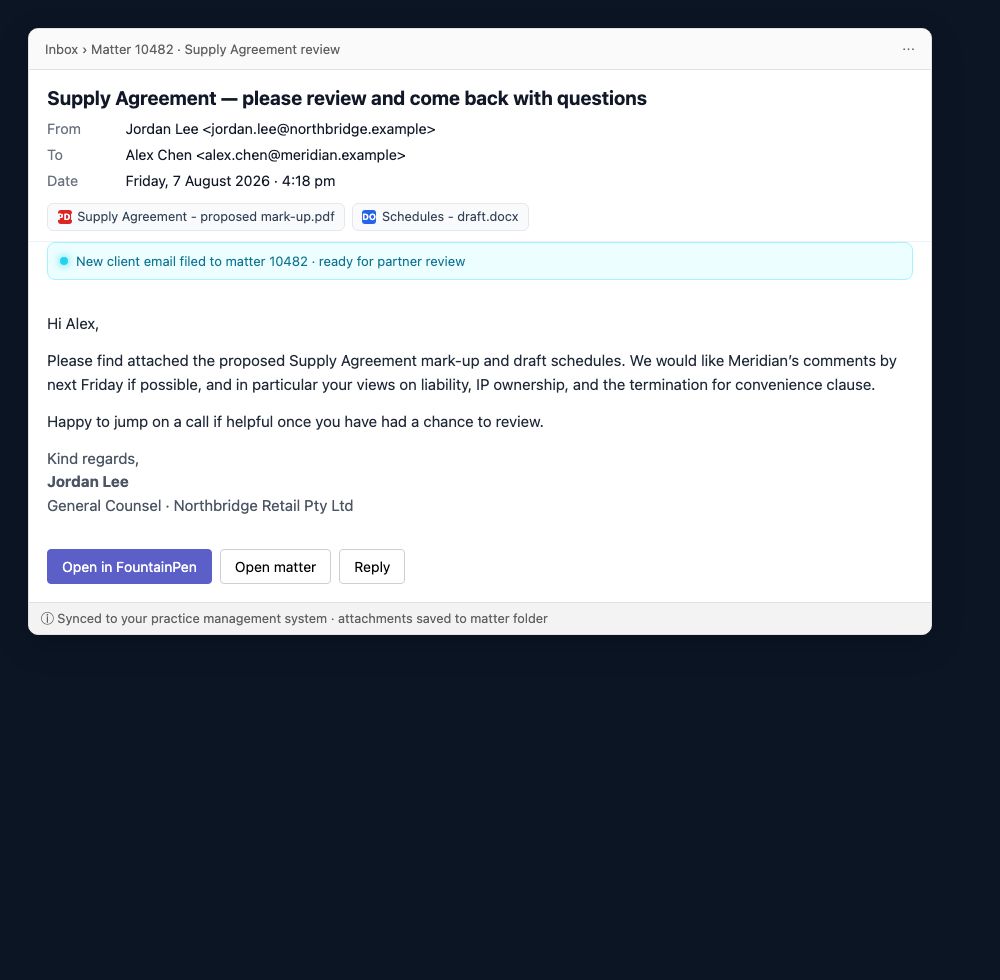
01 · Client email
Instructions and attachments land on the matter in your practice management system — ready for the partner to open and instruct FountainPen.
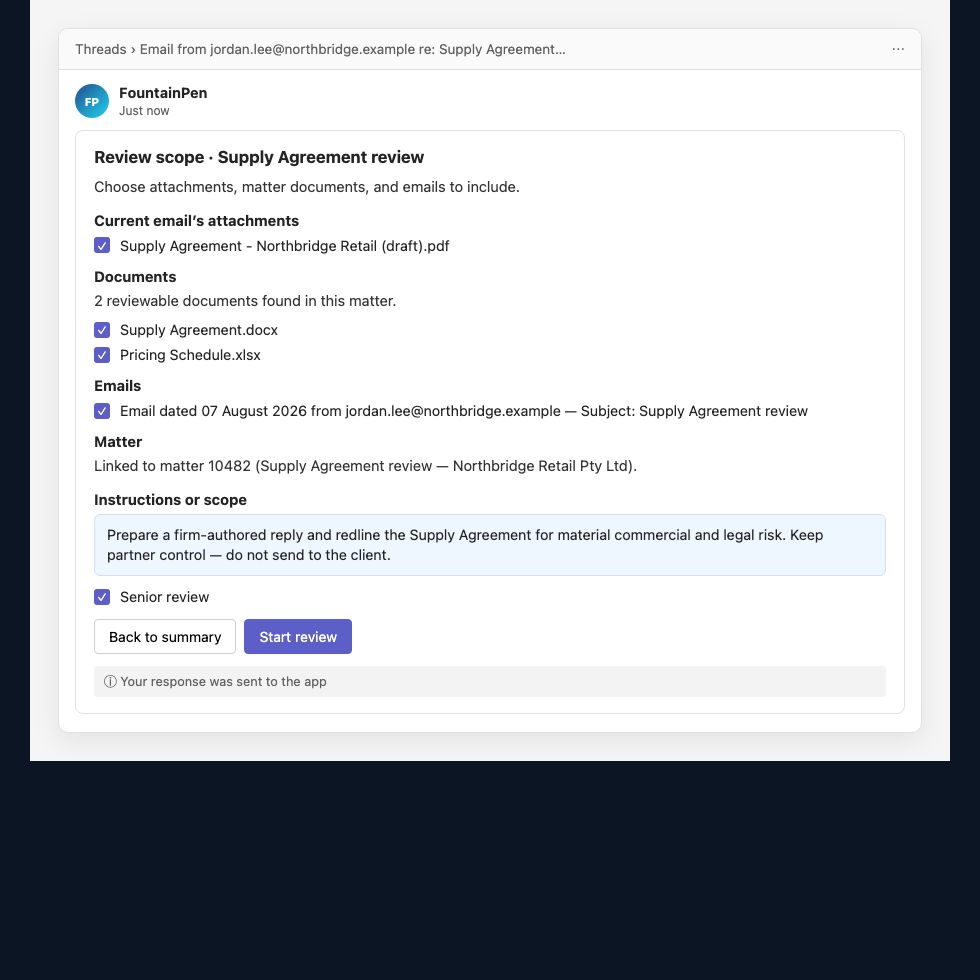
02 · Partner delegation
Partners select materials, set instructions and senior review, then start — or hand the matter to a lawyer with a clear, synced brief.
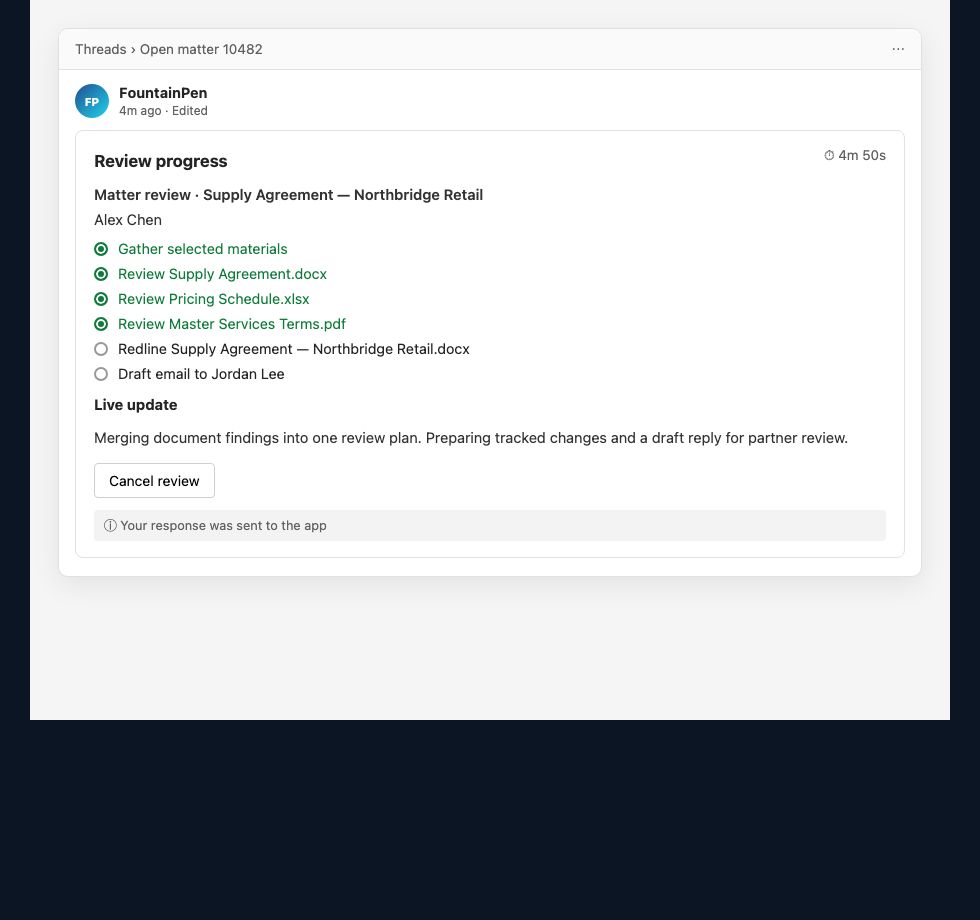
03 · Matter review
Open a matter in your practice management system, gather the selected materials, and watch FountainPen work through the file — with progress synced to the matter as it runs.
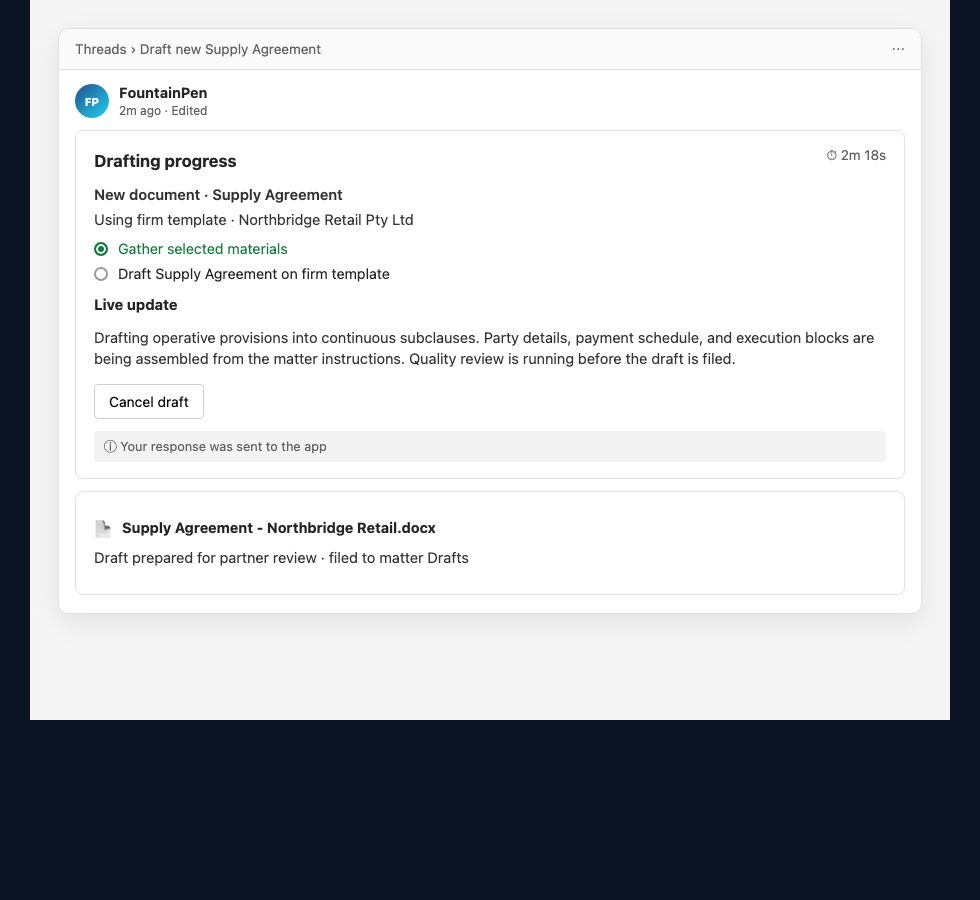
04 · Contract drafting
Not only mark-ups — FountainPen drafts new deeds and agreements on the firm’s templates and files them to the drafts folder in your practice management system as it writes.
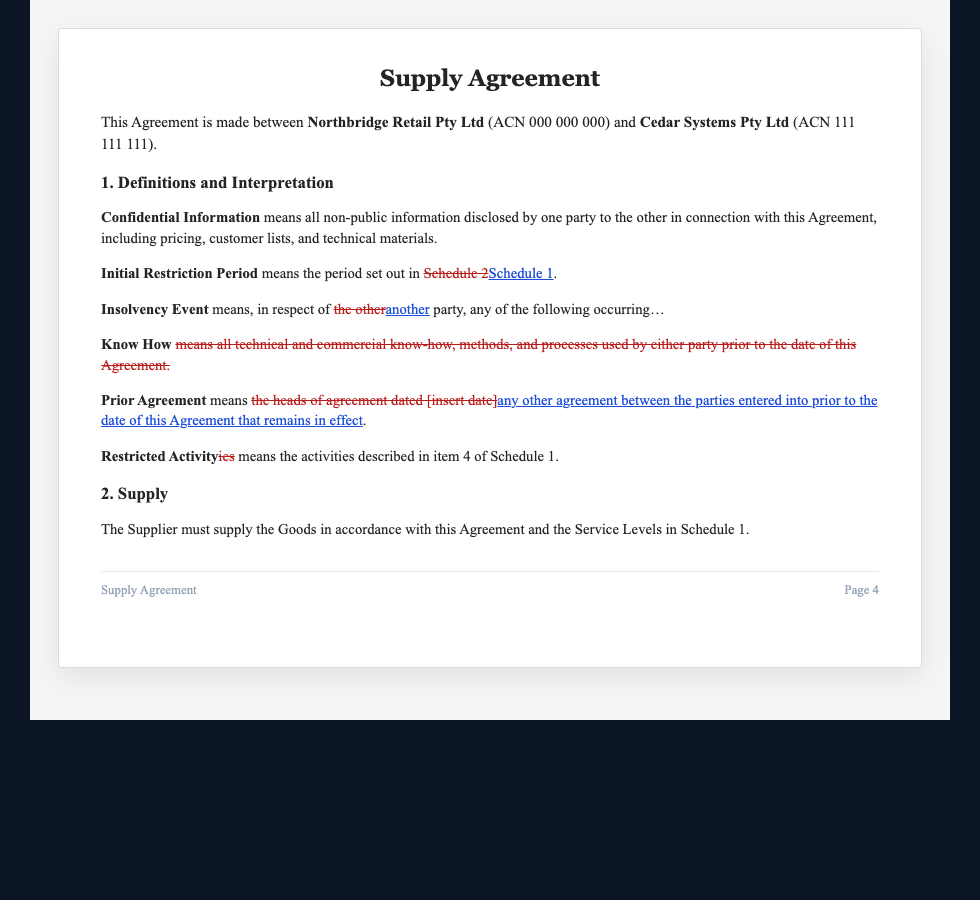
05 · Redline
Tracked changes on the firm’s document — deletions, insertions, and clean markup, filed and synced to the matter in your practice management system.
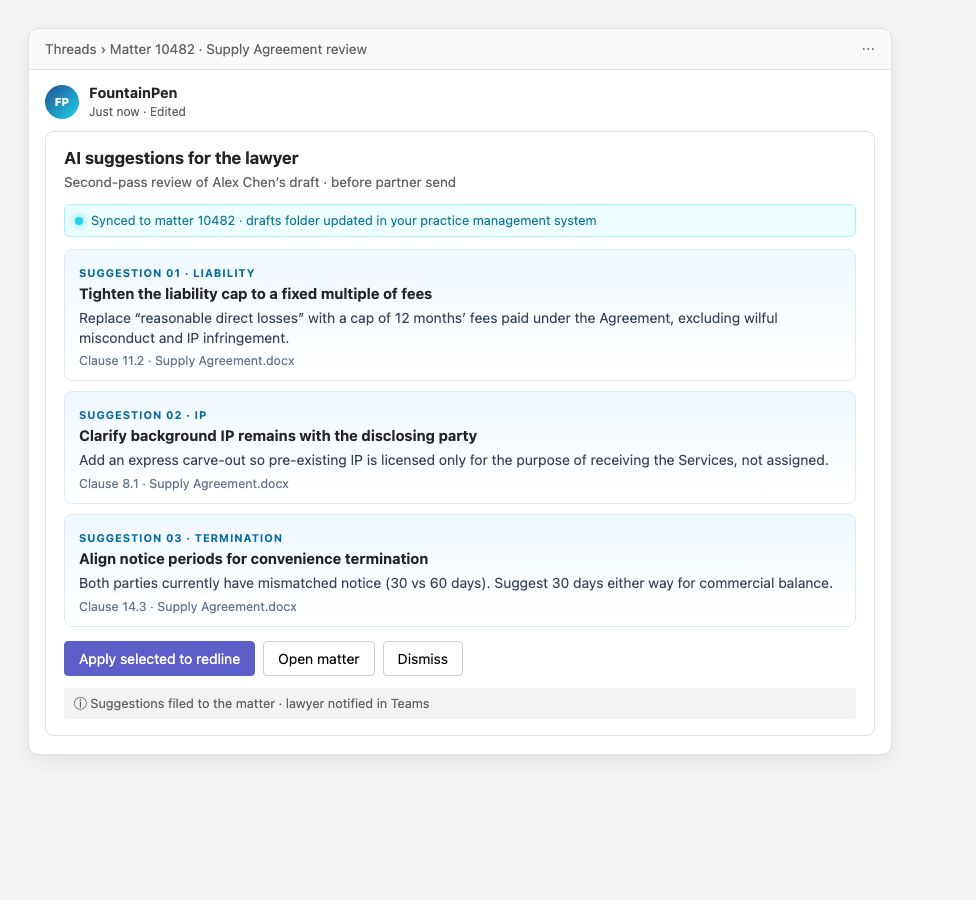
06 · AI suggestions
Second-pass, clause-level recommendations before anything is sent — applied to the redline and synchronised back to the matter.
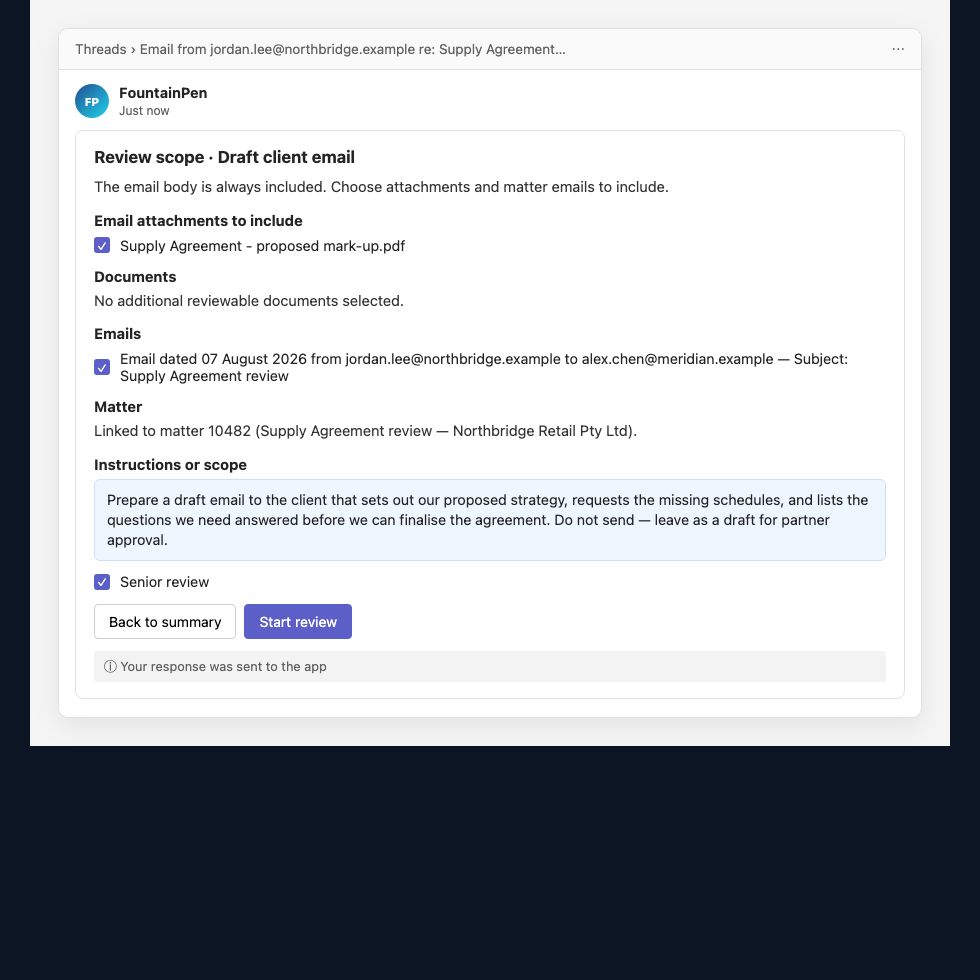
07 · Email drafting
Scope the reply from the thread, pull matter history, and prepare a firm-authored draft email on the matter.
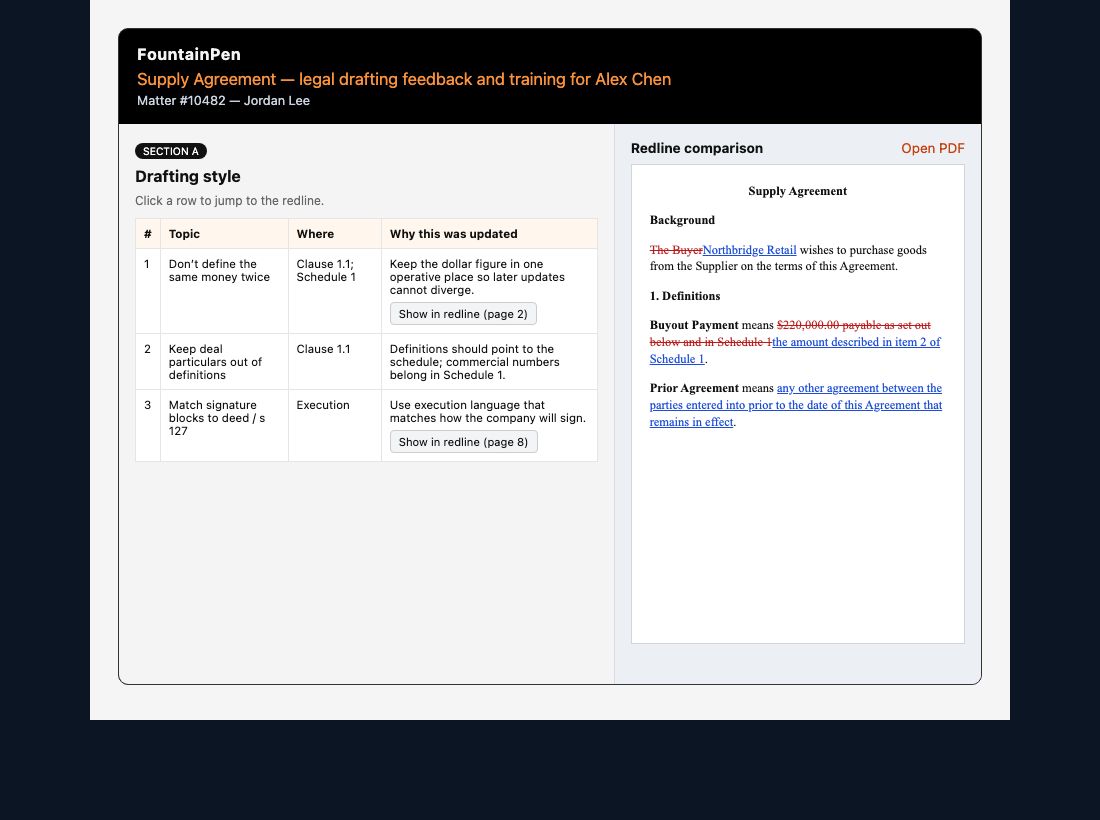
08 · Learn
Coaching that links each finding to the redline — filed against the matter so training stays in your practice management system workflow.
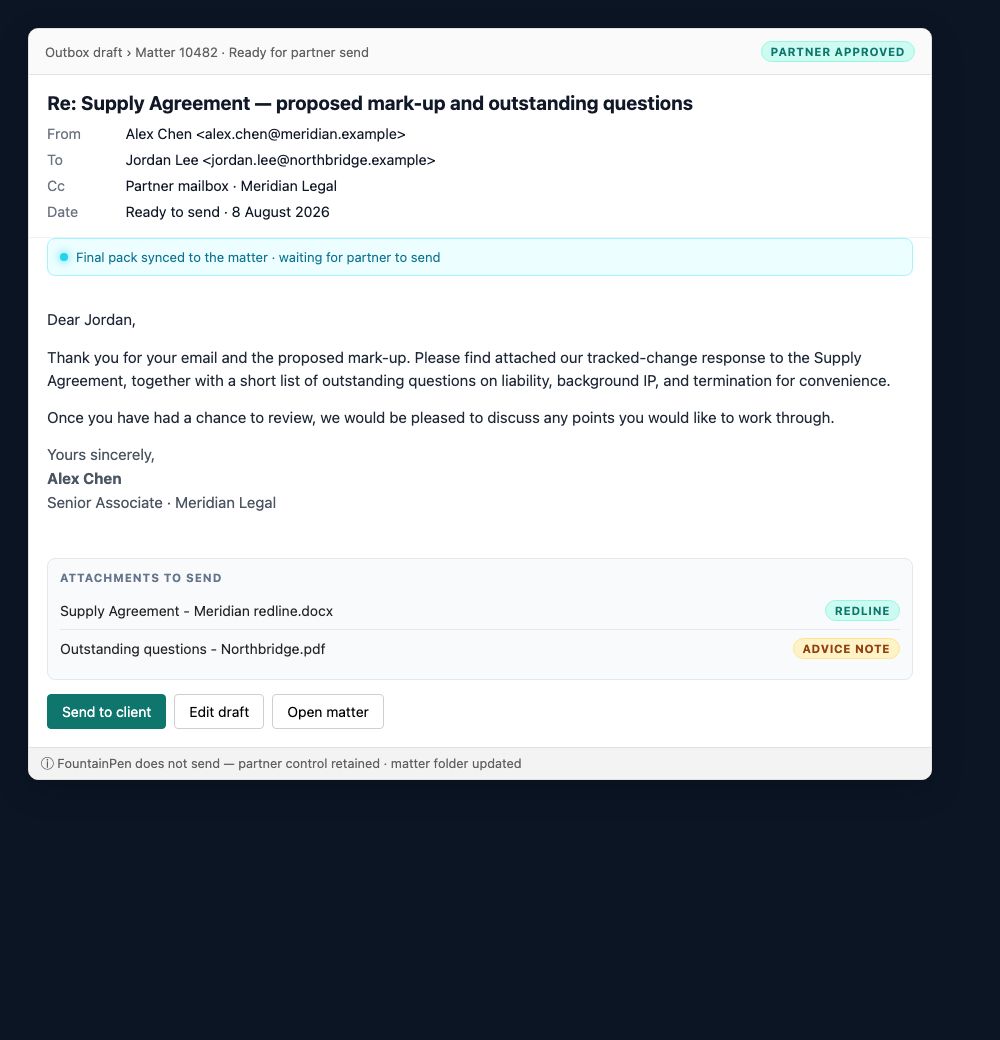
09 · Send to client
The approved reply and attachments sit ready on the matter — the partner sends. FountainPen never sends on its own.
Get in touch
Tell us about your firm and practice management system. We’ll show you how FountainPen integrates, stays synchronised, and frees lawyers to practise law the way it was meant to be.
Or call 1800 749 294